What's New
 Highlights
 Available to all customers
Available to all customers
Available to all customers
Available to all customers
Available to all customers
Release Notes
Version April 15, 2026
New set of signals
AVAILABLE TO ALL CUSTOMERS
Background
Signals capturing a visitor's behavior on your website allow you to act in real-time and interact with the visitor. More signals means more options for real-time interaction.
Solution
A series of new signals have been made available through the API, allowing you to capture behavior and react in real-time. These signals can be used directly to trigger a journey, without the need for a Moment to be defined.
What it looks like in the solution
Conversion Abandon templates to manage conversions
AVAILABLE TO ALL CUSTOMERS
Background
Not every customer who starts a key conversion flow completes it. Being able to re-engage those customers helps you bridge the gap between intent and action—and recover opportunities that might otherwise be lost.
Examples:
* A customer completes the first step of a conversion. If no further progress is detected after X time, the moment is raised.
* A customer reaches step two (signals: conversion create / conversion update). If no further progress is detected after X time, the moment is raised.
* A customer starts a conversion but then removes their changes. The conversion delete signal resets the timer, and the moment is not raised after X time.
* A customer starts a conversion, removes their changes, but then creates another conversion within X time. The moment is raised.
Solution
A Conversion Abandon Moment is now available. It lets marketers track when a conversion stalls (or doesn’t happen) and trigger follow-up actions automatically.
What it looks like in the solution
In Interactive Moments, you can now create a conversion moment using the Conversion Abandon template:
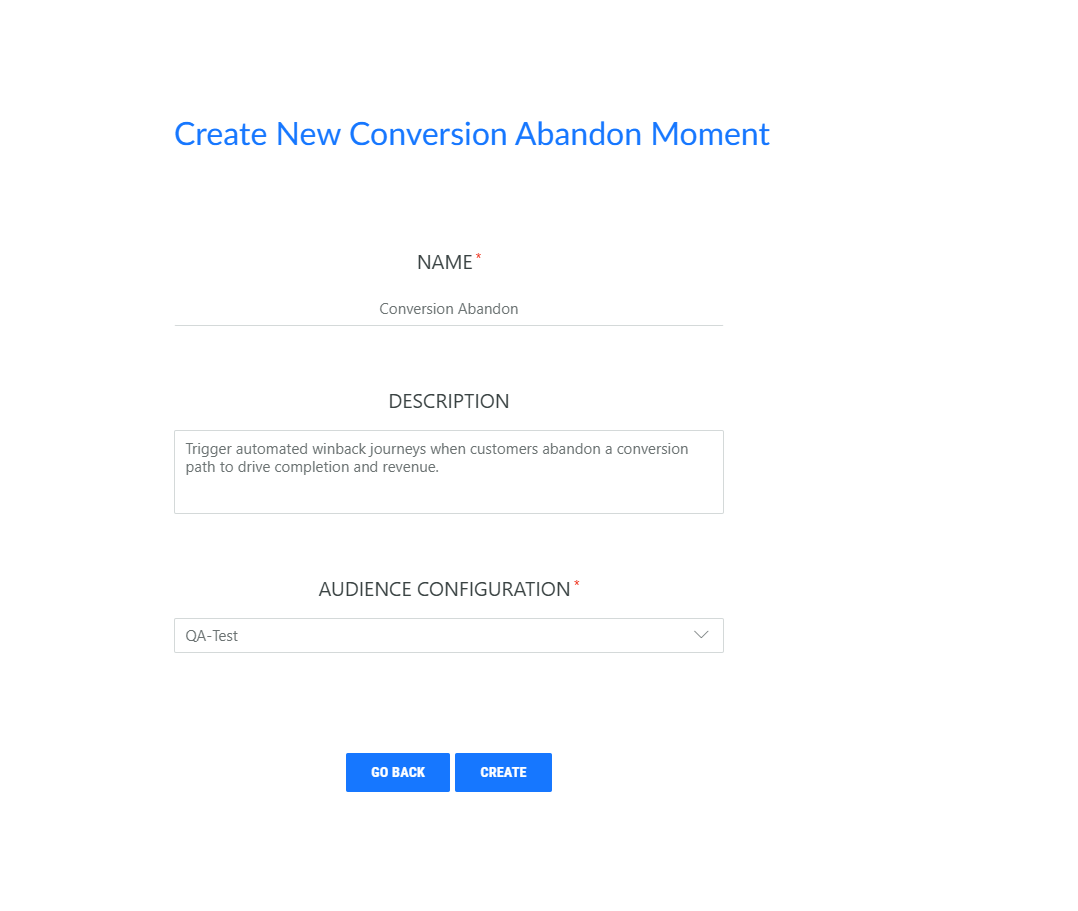
When you set up the template, complete the duration settings to define when a conversion should be considered abandoned.

Details on the Conversion abandon Moment use case for Cheetah are available in the user guide and in the Conversion Abandon article. The SDK documentation and API documentation now includes these signals as well.
Signals info upon Moment creation
AVAILABLE TO ALL CUSTOMERS
Background
Currently, when creating and designing a Moment, it is not always clear which signals are used to trigger the moment. This is important information required to correctly configure the set up of your environment.
Solution
Now, upon creation of a Moment, you are informed immedately about the signals that are used to trigger the Moment. This information is available in the help center, but can now also be consulted directly from within the application.
What it looks like in the solution
Upon creation of a Moment, an info box is automatically shown, listing the signals that are used to that moment:
After creation and when editing the Moment, this information can be pulled by clicking the info icon:

Identity recognition for Cheetah Digital
AVAILABLE TO ALL CUSTOMERS
Background
Identity recognition connects anonymous identifiers, such as cookies or device IDs, with known information like email addresses. This creates a more complete view of each contact and allows you to
- Deliver more relevant and consistent personalization.
- Improve reporting and analytics accuracy.
- Support privacy and compliance requirements.
- Build trust by reducing fragmented or repetitive experiences.
Previously this was only possible using the email.
Solution
Now, Identity recognition is possible using the email as well as unique identifiers.
What it looks like in the solution
For emails send out via Cheetah Digital, we use a proxy ID in the email link. When someone clicks that link, the URL passes the profile ID to Interactive Moments. So, as soon as the customer lands on the website, the signin signal can be sent to our system. That enables personalization and accurate measurement.
Moment template to track an abandoned quiz
AVAILABLE TO ALL CUSTOMERS
Background
Customers often start quizzes with clear intent but drop off before completing them. This leaves valuable leads unfinished, personalization unrealized, and interactive campaign spend under performing.
Solution
Re-engage high-intent customers who didn’t complete a quiz and turn abandoned interactions into conversion opportunities. By nudging customers back to finish their journey, you recover lost leads and sales, guide them to personalized results, and maximize the ROI of your interactive content. The result is higher engagement and stronger brand affinity through meaningful, gamified experiences.
What it looks like in the solution
Marketers can now choose the Quiz Abandon template to generate a Moment that is triggered when a quiz is abandoned after a set time.

Details on the Quiz abandon Moment use case for Cheetah are available in the user guide and in the Quiz Abandon article. The SDK documentation and API documentation now includes these signals as well.